Connecting Visitors, Payments, and Company Identity Through Proezi
Introduction
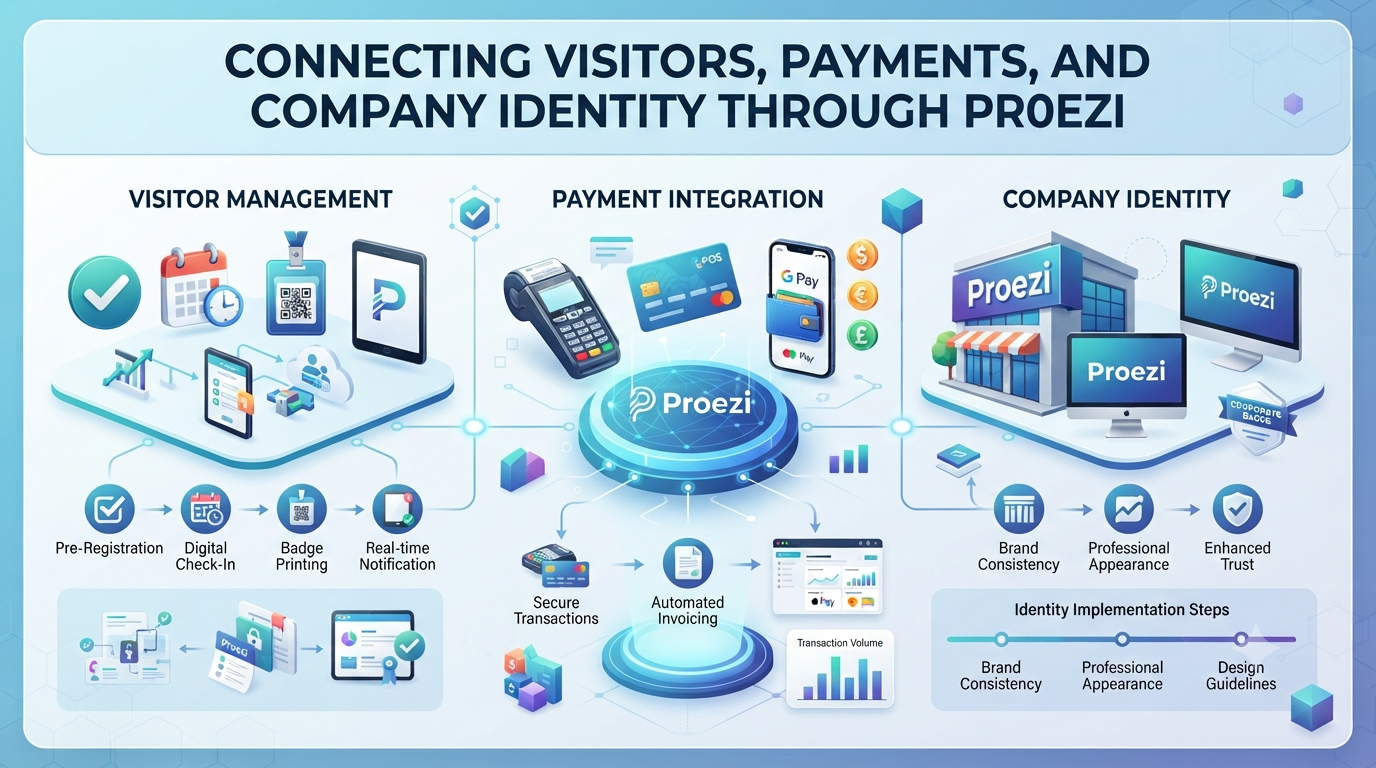
A courier driver idles outside Gate 4 because nobody mentioned deliveries use the back lane. Meanwhile, an accounts clerk retypes an IFSC code into a chat window for the fourth time today, and a new vendor waits three days for a tax registration number buried in an old email thread. Those tiny communication leaks add up quickly across a busy week.Storing everyday operational facts on dedicated web pages stops that constant back-and-forth. Change a gate instruction or bank note once, and every link or printed QR code reflects the update immediately. Proezi brings visitor directions, payment details, and business identity records together in straightforward browser pages built for real-world reliability.proezi.com
What Is Proezi
Proezi is a browser-based platform that lets organizations publish and maintain essential operational details through reusable links and QR codes. Anyone opening your link sees the page right inside a mobile or desktop browser—no app downloads, no account sign-up screens, and full access for international contacts.
Three core capabilities anchor the platform:
Digital visitor arrival instructions: Step-by-step guides leading people from the surrounding street straight to your entrance, floor, or meeting room.
Business payment information pages: Clean reference pages holding bank transfer details, UPI identifiers, PayPal details, and supported international payment codes.
Business identity information pages: Shareable pages displaying your registered company name, company registration numbers, and tax identifiers.
Why Businesses Need Better Digital Information Sharing
Organizations pass basic logistical details to customers, visitors, suppliers, and drivers all day long. Managing that information across scattered email threads and messaging apps causes familiar bottlenecks:
Lost team hours spent typing identical instructions repeatedly
Vague location notes that leave visitors circling large properties
Outdated account details leading to failed transfers or delayed payments
Missing registration numbers that slow down vendor onboarding
Wrong-door arrivals that interrupt front-desk operations
Version mismatches across branch offices, clinics, or satellite sites
Single-source reference pages break that copy-paste cycle. Teams update one verified record, and external contacts see the exact version you intended right away.
QR Code Directions for Visitors: Making Business Locations Easier to Find
QR code directions for visitors turn physical signs into instant mobile arrival guides. Pointing a phone camera at a printed code pulls up step-by-step entry instructions in the browser within seconds.
Different workplaces put this workflow to work every day:
Office buildings welcoming visiting clients and interview candidates
Clinics directing patients toward specific check-in counters and care wings
Hotels showing arriving guests where to drop luggage and park
Event venues guiding attendees through designated entry gates
Commercial properties with multiple tenants and shared lobbies
Warehouses separating freight trucks from main office visitors
Educational facilities spread across multi-block campuses
Customer service centers handling steady walk-in traffic
Place these codes on calendar invites, reception stands, parking pillars, event badges, and entrance boards so visitors get clear guidance the moment they arrive.
Understanding Visitor Wayfinding Software
Visitor wayfinding software covers everything that happens after a standard map app brings someone onto your street. Road navigation gets a driver near your property, yet it rarely shows which driveway is open, where visitor parking sits, or which lift serves your floor.
Useful wayfinding tools lay out gates, parking bays, entrances, floor levels, and room labels. Photos of landmarks, map coordinates, step-free paths, and temporary closure alerts keep people moving smoothly even when building access shifts.
Evaluate wayfinding tools against your site layout, daily foot traffic, accessibility requirements, and operational schedule. Proezi addresses this directly through digital visitor arrival instructions and last-mile guidance that load cleanly in any browser.
Digital Visitor Arrival Instructions: From Road to Reception
Well-structured digital visitor arrival instructions break an unfamiliar trip into clear, manageable stages:
Reaching the surrounding neighborhood
Turning into the right parking zone
Identifying the proper gate
Locating the building entrance
Checking in at reception
Taking the right lift or stairs to your floor
Arriving at the exact room or desk
Pairing short written steps with annotated photos, recognizable landmarks, and map coordinates removes hesitation. Organizations can also publish distinct routes for drivers, pedestrians, taxis, delivery vans, and visitors requiring step-free access.
How to Find Us Page for Business: What Should It Include?
A practical how to find us page for business goes well beyond embedding a generic map pin. A pin drops someone near a building rooftop, not in front of the entrance they actually need.
Include the specifics visitors depend on:
Business or venue name with clear neighborhood context
Map coordinates paired with visible street landmarks
Parking guidance, gate hours, and main entrance details
Reception location, floor numbers, room names, and a direct contact option
Accessibility routes and temporary alerts for construction or gate changes
Dedicated digital arrival cards complement your website's main contact section, giving guests a focused mobile guide they can check while walking or driving.
Event Venue Directions QR Code: Simplifying Event Arrivals
An event venue directions QR code prevents arrival bottlenecks before a conference, exhibition, or live gathering begins. Large venues often juggle multiple gates, temporary parking zones, security screening, and separate check-in counters.
Organizers also coordinate distinct event halls, speaker or VIP doors, staff entrances, and vendor loading bays. Printing QR codes on digital tickets, registration emails, posters, and venue signage puts the right route directly on every attendee's phone.
Guests, speakers, vendors, and crew reach their assigned zones faster, keeping schedules on track from the opening session onward.
Parking and Entrance Directions for Visitors
Managing parking and entrance directions for visitors as linked yet distinct steps prevents a classic arrival mistake. Drivers often park without trouble, only to exit onto the wrong side of a complex and walk past locked doors.
Spell out visitor parking bays, reserved spots, time restrictions, and accessible spaces first. Connect those parking zones directly to pedestrian paths, main and secondary entrances, security gates, reception desks, and intercom instructions.
Updating those notes whenever resurfacing work or security rules alter access keeps arrivals smooth and predictable.
Last Mile Navigation for Businesses: Solving the Final-Destination Problem
Last mile navigation for businesses solves the tricky final stretch between reaching a street address and standing at the right door. Arriving at the property line does not mean a visitor has found your team.
People frequently lose time in settings like these:
Offices inside large commercial complexes with multiple towers and shared plazas
Clinics within multi-building campuses served by one main road entrance
Event halls with separate entrances for ticket holders and production crews
Warehouses with designated delivery gates far from admin reception
Hotels with multiple access points across street level and underground garages
Businesses located on upper floors served by split elevator banks
Visitors can use Google Maps, Apple Maps, or Waze for the drive over, then switch to your on-site guide—including cached offline pages where mobile signal drops—to reach the exact desk.
How QR Codes Make Visitor Communication More Practical
QR codes turn static printed signs into flexible digital touchpoints. Teams add them to outdoor boards, reception counters, calendar invites, booking confirmations, website pages, parking posts, delivery manifests, and welcome folders.
Because every code points to a reusable web page, editing a gate number or swapping an entrance photo takes seconds—no need to reprint signs or resend PDFs every time a small detail changes.
How to Share Bank Details with Customers Securely
When you share bank details with customers, clean formatting prevents costly transfer mistakes. Buyers and accounts-payable teams typically need your registered account holder name, bank name, account number, IFSC or local bank code, SWIFT or BIC details for international transfers, payment purpose, and invoice reference instructions.
Verify every character twice before publishing, and apply sensible access controls so sensitive financial details are shared intentionally. Keep in mind that Proezi displays payment instructions and copyable fields—it does not process, collect, or transfer funds. Customers complete every payment directly through their own banking or payment app.
UPI QR Code Payment Page: Making Payment Instructions Easier to Access
A UPI QR code payment page gathers your UPI identifier, scannable QR code, payment-purpose notes, and one-tap copyable fields onto a single mobile screen. Businesses can share the link digitally or display printed payment cards at billing counters.
Customers complete transactions inside their own supported UPI or banking application. Sharing payment instructions is separate from processing a payment, and opening a payment page never confirms that funds have arrived. Always verify payment completion directly inside your bank statement or payment app.
Share Business Registration Details Online
Companies regularly need to share business registration details online during vendor onboarding, invoicing, and compliance checks. A dedicated business identity page organizes your legal company name, registration number, tax identification numbers, and related entity details in one clean view.
Double-check all entries before publishing and keep private internal documents off public pages. Remember that format and checksum checks only verify that an identifier matches a standard structure—they do not independently confirm government registration status or legal ownership.
Why Businesses Need Separate Visitor, Payment, and Identity Pages
Bundling directions, bank codes, and tax numbers onto one long page forces readers to scroll past irrelevant details. A delivery driver only needs gate instructions; an accounts clerk only needs bank codes.
Page Type
Main Purpose
Typical Information
Intended Audience
Visitor directions page
Help people reach a location
Parking, entrances, gates, reception, floors
Visitors and delivery partners
Payment details page
Share payment instructions
Bank details, UPI information, payment references
Customers and suppliers
Business identity page
Share company information
Registered name, registration numbers, tax identifiers
Customers and business partners
Keeping these three pages separate speeds up lookups, reduces clutter, and lets different teams maintain their own records cleanly.
How Proezi Helps Offices, Clinics, Hotels, and Event Venues
Different workplaces face distinct arrival and documentation bottlenecks, yet all of them benefit from clear, reusable pages:
Offices: Send interview candidates, visiting clients, and new hires straight to the right tower and reception desk without front-desk delays.
Clinics: Give patients clear guidance on parking, step-free entrances, registration desks, and specific care departments.
Hotels and hospitality businesses: Share straightforward arrival routes, parking rules, and late-night access instructions ahead of check-in.
Event venues: Point attendees, speakers, exhibitors, and vendors to their assigned gates, loading docks, and halls.
Warehouses and logistics facilities: Direct drivers and couriers straight to freight gates and unloading zones instead of office reception.
How to Create Better Digital Arrival Instructions
Use this practical sequence to write arrival directions visitors can follow effortlessly:
Define the visitor's starting point
Pinpoint the exact final destination
Mark visitor and accessible parking spaces
Identify every relevant gate and building entrance
Add unmistakable visual landmarks
Explain the walk from the entrance to reception
Include floor numbers, corridors, and room labels
Add step-free and accessible route instructions
Provide a direct visitor contact button
Walk the entire route yourself before sharing the link
Testing the instructions on foot reveals missing signs, locked doors, or confusing turns before visitors encounter them.
Multilingual and Accessible Visitor Directions
Truly useful arrival guides serve first-time guests, international travelers, and visitors with mobility needs equally well. Short sentences, clear entrance photos, and obvious landmarks help people navigate even when local signage is sparse.
Include step-free paths, accessible parking spots, elevator directions, alternative entrances, and mobile-friendly layouts as standard practice so every visitor arrives comfortably.
How to Keep Shared Business Information Accurate
A digital page only stays helpful when someone keeps it current. Parking layouts change, entrances shift during renovations, reception desks relocate, bank details update, registration records change, and contact numbers rotate.
Assign a specific person on your team to audit these pages regularly and update them as soon as conditions shift. Also note that QR codes and web links do not prevent fraud on their own, so careful verification and responsible sharing remain essential.
A Practical Digital Information-Sharing Checklist for Businesses
Use this checklist to set up and maintain clean business information pages:
List the everyday questions visitors, customers, and vendors ask most
Create separate pages for visitor directions, payments, and business identity
Verify every address, account number, and registration ID before publishing
Write clear, step-by-step arrival directions
Add entrance photos and unmistakable landmarks
Review parking rules, gate access hours, and entry procedures
Generate and scan-test all QR codes on multiple phones
Confirm bank codes, UPI details, and payment references
Review business registration and tax identifiers carefully
Include step-free routes and plain language for diverse visitors
Display QR codes where visitors naturally stop or check their phones
Update pages promptly whenever locations or company records change
Making these steps part of routine operations eliminates hours of repetitive messaging every month.
Why Proezi Is Worth Exploring
Proezi brings digital visitor directions, reusable QR codes, business payment pages, and company identity records together inside one browser-based platform. Visitors, customers, suppliers, and partners view the exact details they need without downloading an app or creating an account.
For teams looking to organize essential business information behind reusable links and QR codes, Proezi offers a clean, practical foundation.
Share anything with ease.
FREQUENTLY ASKED QUESTIONS
What are QR code directions for visitors?
QR code directions for visitors are scannable codes that open a mobile arrival guide straight in a phone browser. Instead of searching through old messages, guests scan the code and follow step-by-step entry instructions immediately.
What is visitor wayfinding software?
Visitor wayfinding software helps people move from a nearby road or parking lot to an exact entrance, floor, or room. It organizes on-site details such as walking routes, landmarks, parking rules, and access notes.
How do digital visitor arrival instructions work?
Digital visitor arrival instructions break a visit into clear steps from the surrounding street to the final room. They combine concise text, photos, map coordinates, landmarks, and tailored paths for drivers, pedestrians, or step-free access.
What should a business include on its how to find us page?
A practical how to find us page covers the business name, neighborhood context, map coordinates, landmarks, parking rules, gate and entrance details, reception location, floor or room numbers, contact options, accessibility routes, and temporary access notices.
How can event venues use QR codes for directions?
Event venues place QR codes on tickets, confirmation emails, posters, and directional boards so attendees, speakers, staff, and vendors can quickly check gates, parking areas, halls, and registration desks on their phones.
How can businesses share parking and entrance directions?
Businesses publish clear instructions covering visitor and accessible parking alongside walking paths, security gates, main entrances, and reception desks. Updating the page whenever access rules change keeps arrivals smooth.
What is last mile navigation for businesses?
Last mile navigation for businesses covers the final stretch after a visitor reaches your street address. It guides people to the exact gate, tower, lift bank, or suite inside larger complexes and multi-building properties.
How can businesses share bank details with customers?
Businesses list account holder names, bank names, account numbers, bank codes, payment references, and international identifiers on a dedicated payment details page. Proezi shares these instructions cleanly without processing or transferring funds.
What is a UPI QR code payment page?
A UPI QR code payment page displays your UPI ID, scannable QR code, payment-purpose notes, and copyable details in one browser view. Customers pay through their own banking or UPI apps, and payment completion is verified via your bank or payment app rather than page views.
How can businesses share registration details online?
Businesses publish registered company names, registration numbers, and tax identifiers on a dedicated identity page. Format and checksum checks validate identifier structure only—they do not independently confirm government registration or ownership.
FINAL THOUGHTS
Giving external contacts direct access to current arrival steps, payment details, and company registration records saves hours of repetitive coordination every week. Visitors arrive at the right door on time, finance teams process invoices without chasing down missing codes, and vendor onboarding moves forward without unnecessary delays.By housing visitor directions, payment pages, and company identity details behind reusable links and QR codes, Proezi helps organizations share critical information accurately whenever it is needed.proezi.com